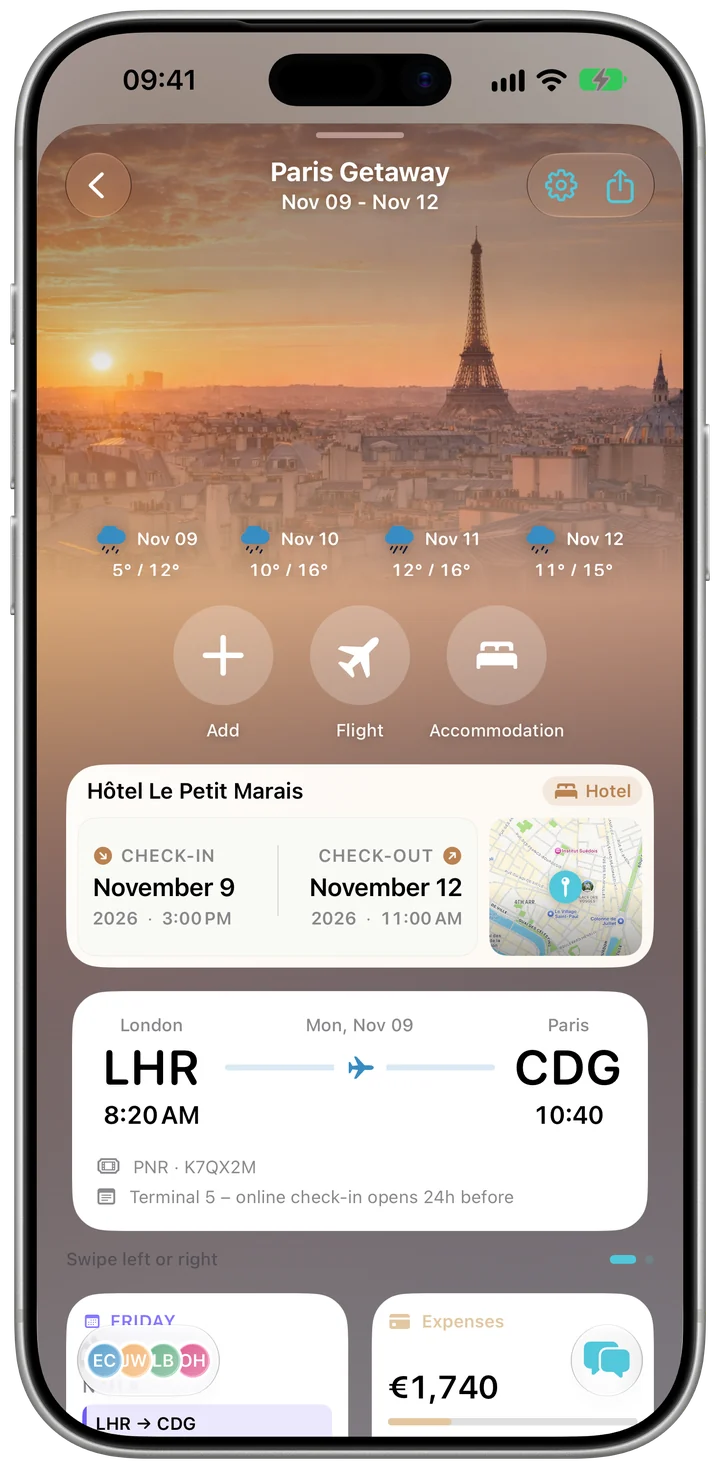
The whole trip on one screen
Overview shows what's next: today's plans, your flight and stay, the weather at your destination, the checklist and the latest expenses.
Trip planner for iPhone and iPad
Plan each day, split what you spend, pack with a shared checklist and keep the photos — in one trip that everyone you invite can see.
 Free to start · No ads
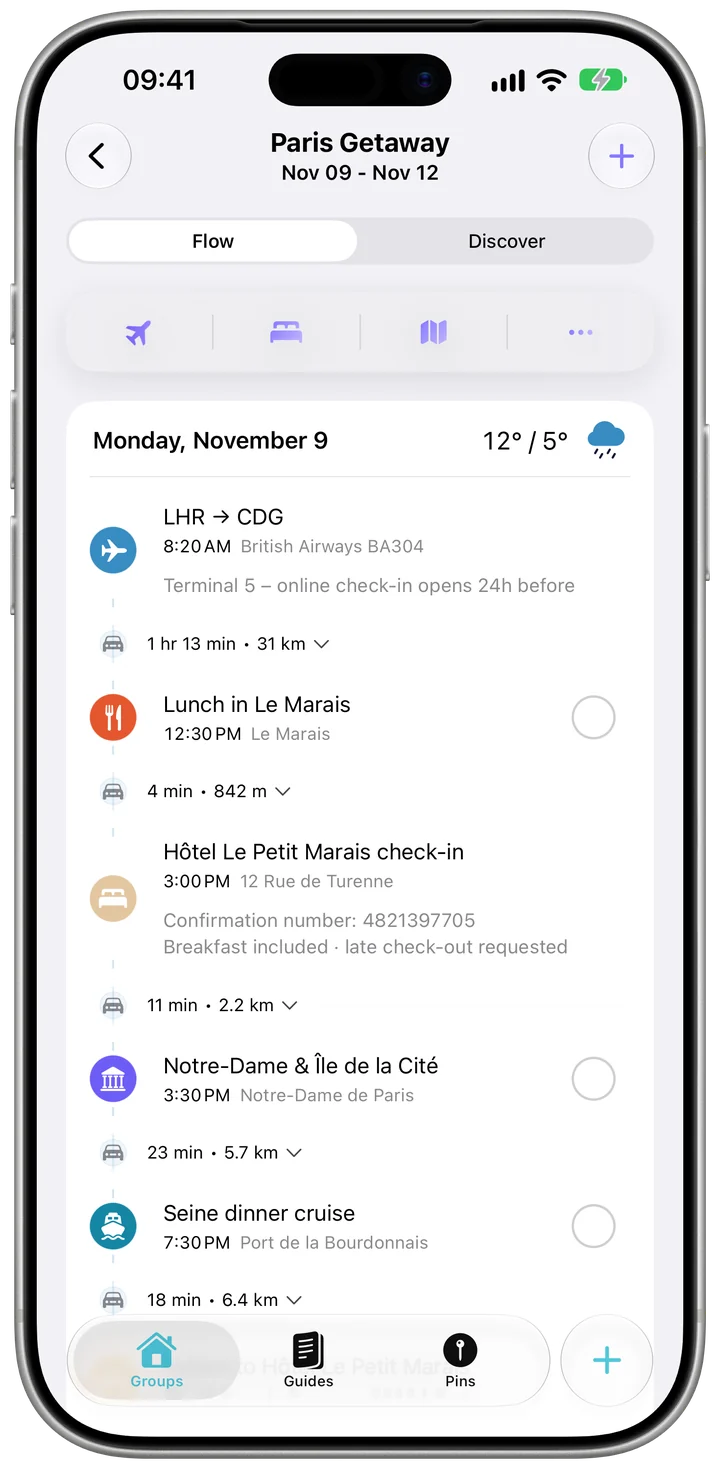
Kordy is a trip planner for iPhone and iPad. Each trip has its own day-by-day plan, shared expenses with balances, checklists, a group chat and a photo feed. You can plan on your own, or invite friends and family with a link or a QR code so everyone works from the same plan and the same numbers.
Kordy is free for up to 5 trips you create and 5 new expenses a day; trips you're invited to don't count. Kordy Pro ($39.99 a year or $4.99 a month in the US, with a 7-day free trial) removes those limits and adds live flight tracking, receipt scanning, document attachments and group polls.
A trip in Kordy takes three steps.
Give it a name, the dates and where you're going. A city break, a road trip, a family holiday or a work trip.
Send a link or a QR code. Someone who doesn't use Kordy can still be added as a guest member to share costs.
Add plans day by day and log expenses as you go. Kordy works out who owes whom, with the fewest transfers.
Overview shows what's next: today's plans, your flight and stay, the weather at your destination, the checklist and the latest expenses.
Lay out flights, stays and activities day by day, with times, places and notes. See them on a calendar or add them to Apple Calendar.
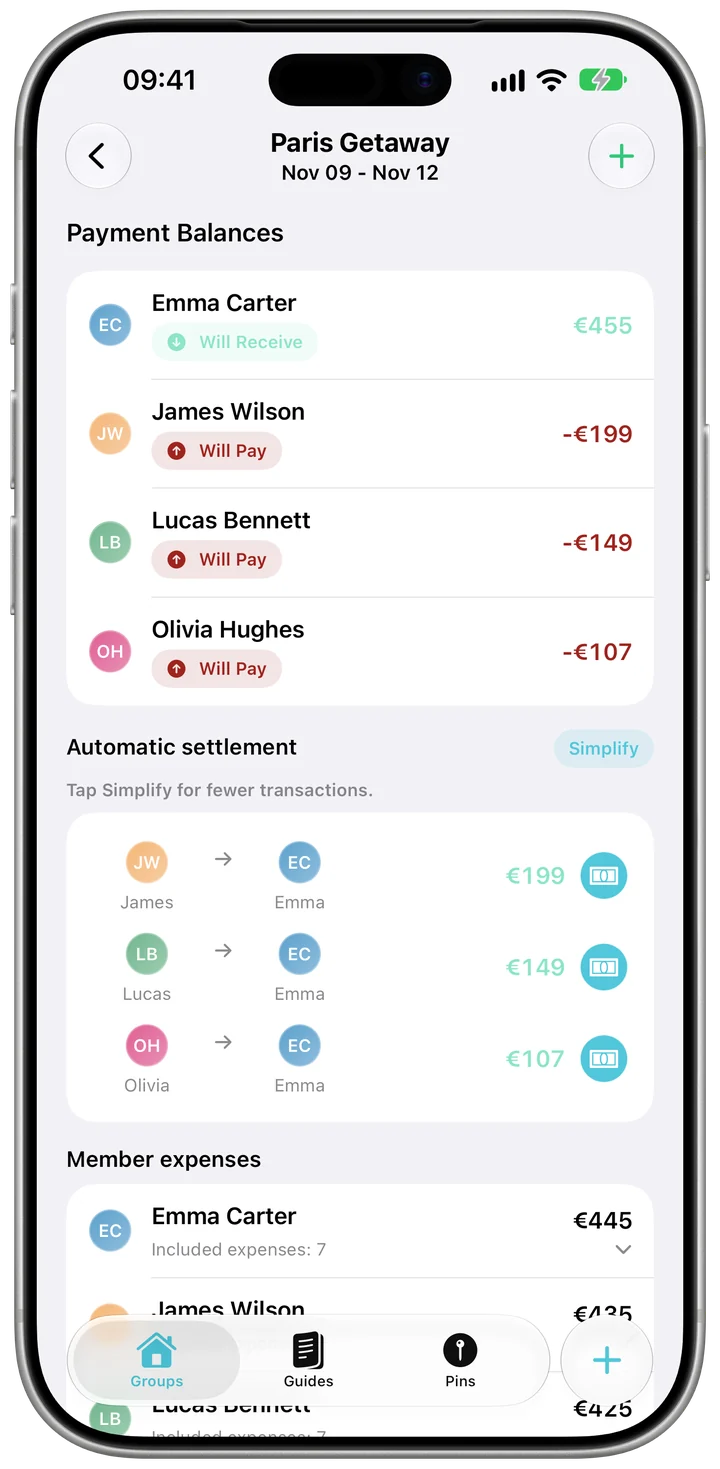
Log an expense in any of 31 currencies and split it equally or your own way. Balances shows what each person paid and owes; Simplify settles it with the fewest transfers.
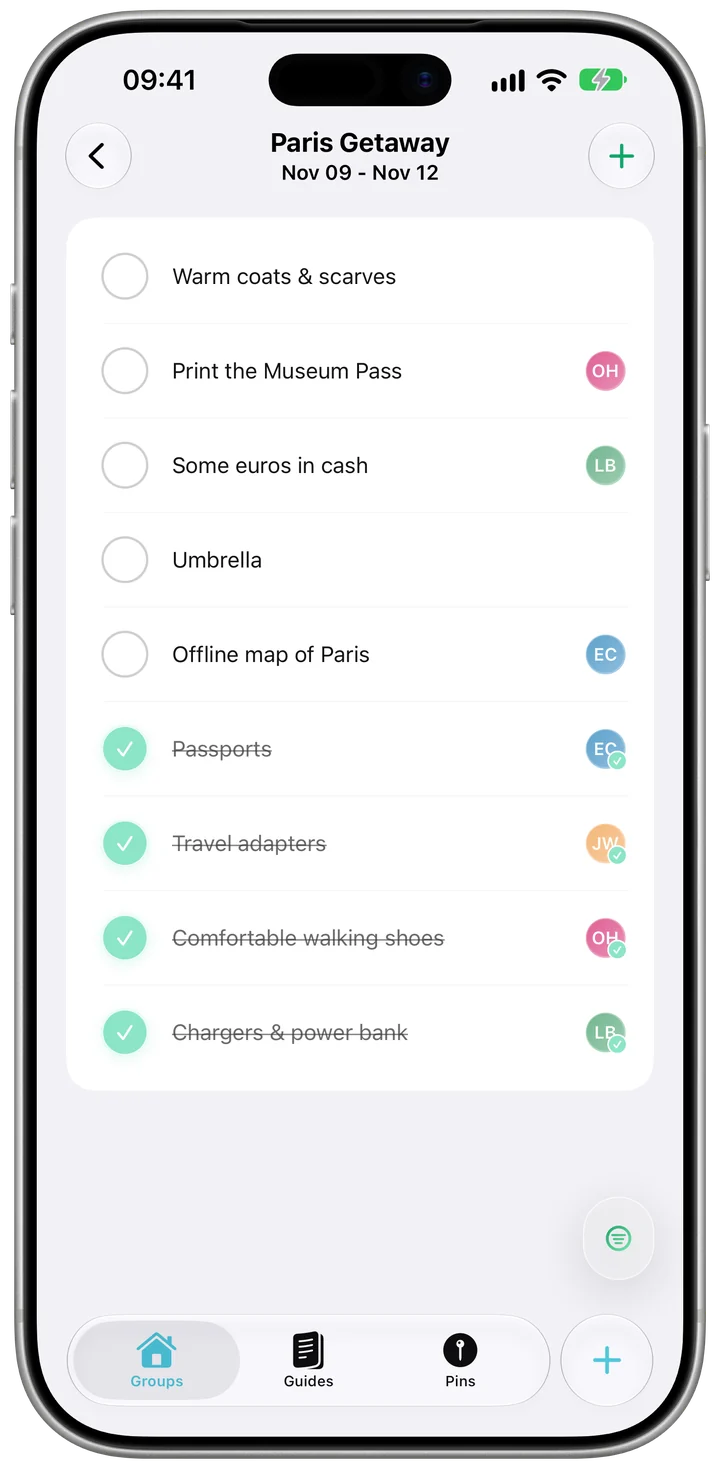
Start from a ready-made list — beach, ski, camping or business — add your own items, assign them to people and tick them off as you pack.
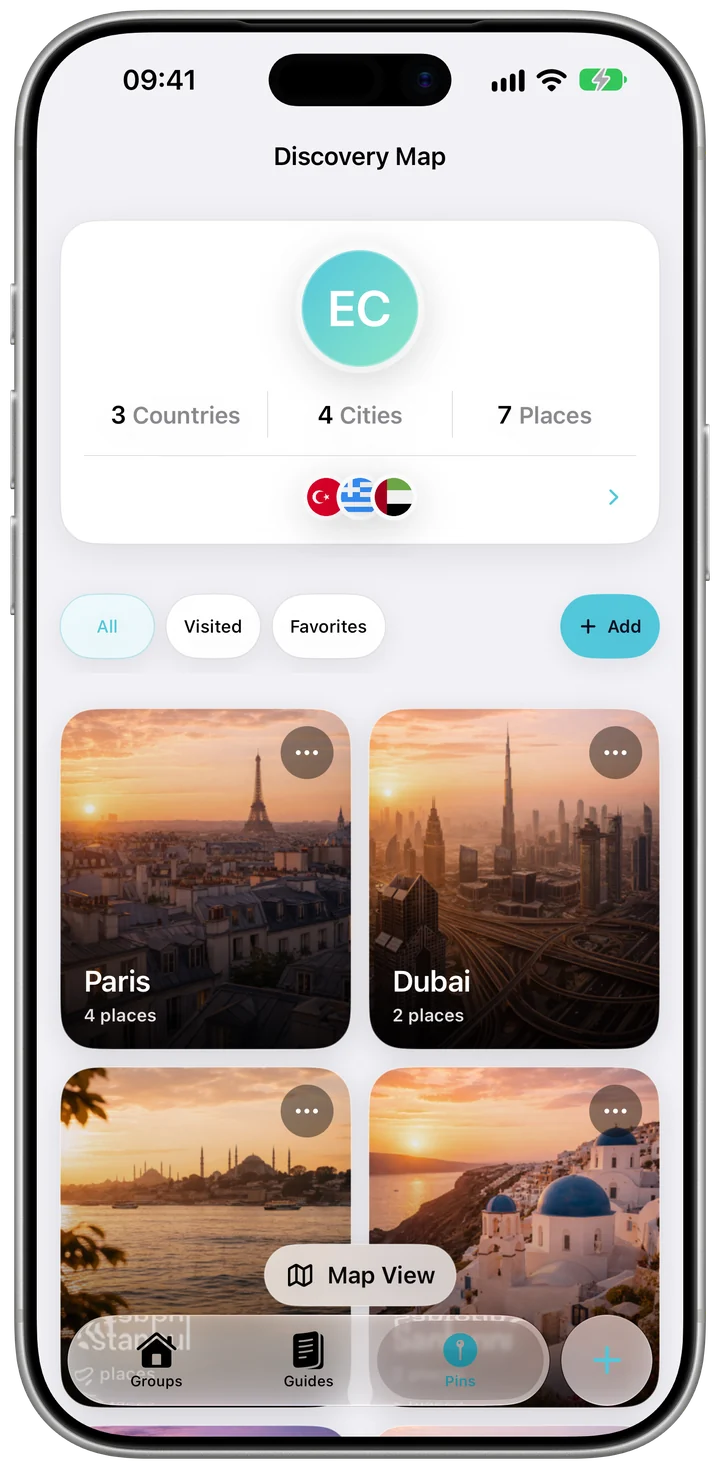
Pin the places you've been and the places you want to go. The countries you've visited fill in your My Kordy Book.
Add your flights to the plan. With Pro, follow the gate, delays and landing live on the Lock Screen and in the Dynamic Island.
Forward flight, hotel and restaurant confirmations to your personal Kordy address; the reservations are ready to add.
Messages, voice notes, locations and reactions inside each trip, next to the plan.
A shared photo feed for the trip, with likes and comments, and a Memory Book to save as a video.
Photograph a receipt and the expense fills itself in. (Pro)
Add an expense or a checklist task, or open your next trip, with your voice.
Changes you make without a connection are kept and sent when you're back online.
A week before the trip, the evening before and that morning, and an hour before each plan.
A trip is visible only to the people in it, and to anyone you send a read-only link to. There are no ads and no ad tracking. Kordy needs an account so your trips sync between your devices and your group.
Read the privacy policy →$0
No time limit
$39.99
a year
$4.99
a month
$1.99
a week
Honest, dated comparisons with TripIt, Wanderlog, Tripsy, Splitwise and Tricount: what each does best and what it costs.
| Free plan | Group expense splitting | Platforms | |
|---|---|---|---|
| Kordy | Up to 5 trips you create, 5 new expenses a day | Yes, free: equal or custom splits, 31 currencies, fewest-transfer settle-up | iPhone, iPad |
| TripIt | Itinerary from forwarded emails; no trip limit stated; 3 documents per trip | No | iPhone, iPad, Mac (Apple silicon), Apple Watch, Android, web |
| Wanderlog | Unlimited trips and tripmates, with budgeting and bill splitting | Yes, free: who owes whom, settle debts | iPhone, iPad, Mac (Apple silicon), Android, web |
| Splitwise | Up to 4 new expenses a day | Yes (its core): many split types, Simplify Debts; currency conversion is Pro | iPhone, iPad, Android, web |
It depends on the trip. Kordy is a good fit when several people plan and pay together: one app holds the day-by-day plan, the shared expenses and balances, the packing checklist and the group chat. If you mostly want an itinerary built from your booking emails, TripIt is the specialist; if you only need to split bills, Splitwise and Tricount do that alone. Our comparison page lists where each one is better.
Yes. The free plan has no time limit: up to 5 trips you create (trips you're invited to don't count), 5 new expenses a day, day-by-day plans, balances, checklists, chat, memories and the Pins map. Kordy Pro removes the limits and adds features such as live flight tracking and receipt scanning.
Yes, inside each trip. You can split an expense equally or with custom amounts, in 31 currencies, and Balances shows who owes whom. Simplify reduces the payments to the fewest transfers, and payment history records who has paid back.
Yes. You sign in with Apple, Google or an email address, so your trips sync between your devices and with the people you invite. Someone who doesn't use Kordy can be added to a trip as a guest member for shared costs.
Yes. Trips you've opened stay available without a connection, and the plans, expenses and checklist items you add offline are sent when you're back online.
Not yet. Kordy is available for iPhone and iPad. Friends without an iPhone can still be added to a trip as guest members so their share of the costs is counted.

Free on the App Store for iPhone and iPad. No ads.