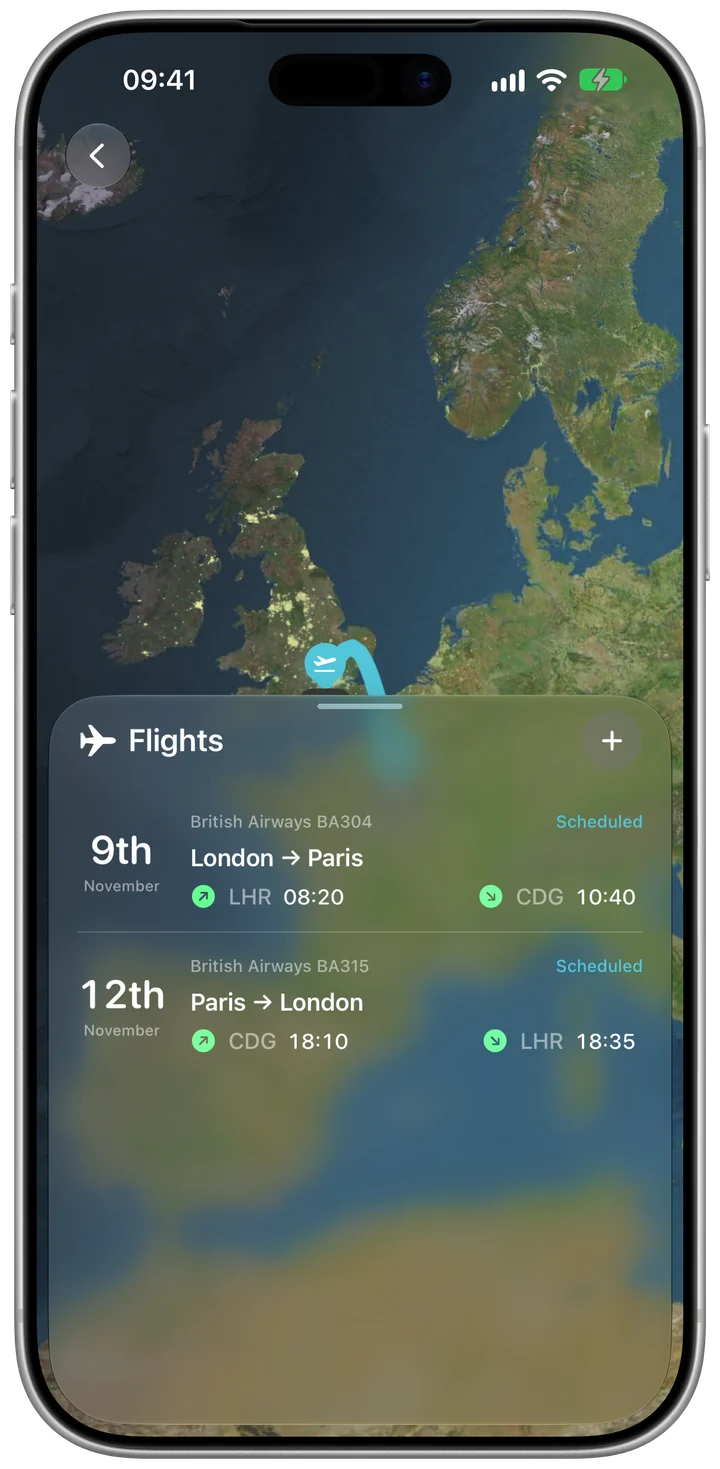
The flight's status in the trip
The flight screen shows the route and, with Pro, the live status, so you don't need a separate app for the day you fly.
Flight tracking inside your trip
Add a flight with its number and date and it sits on the right day of the plan. With Kordy Pro you follow it live — gate, delays, take-off and landing — on the Lock Screen and in the Dynamic Island.
 Free to start · No ads
Enter the flight number and date, or forward the airline's confirmation email to your personal Kordy address.
The flight appears on its day next to the hotel and the rest of the plan, for everyone in the trip.
With Kordy Pro the gate, delays, take-off, landing and baggage belt update on the Lock Screen and in the Dynamic Island, and you get an alert when something changes.
The flight screen shows the route and, with Pro, the live status, so you don't need a separate app for the day you fly.
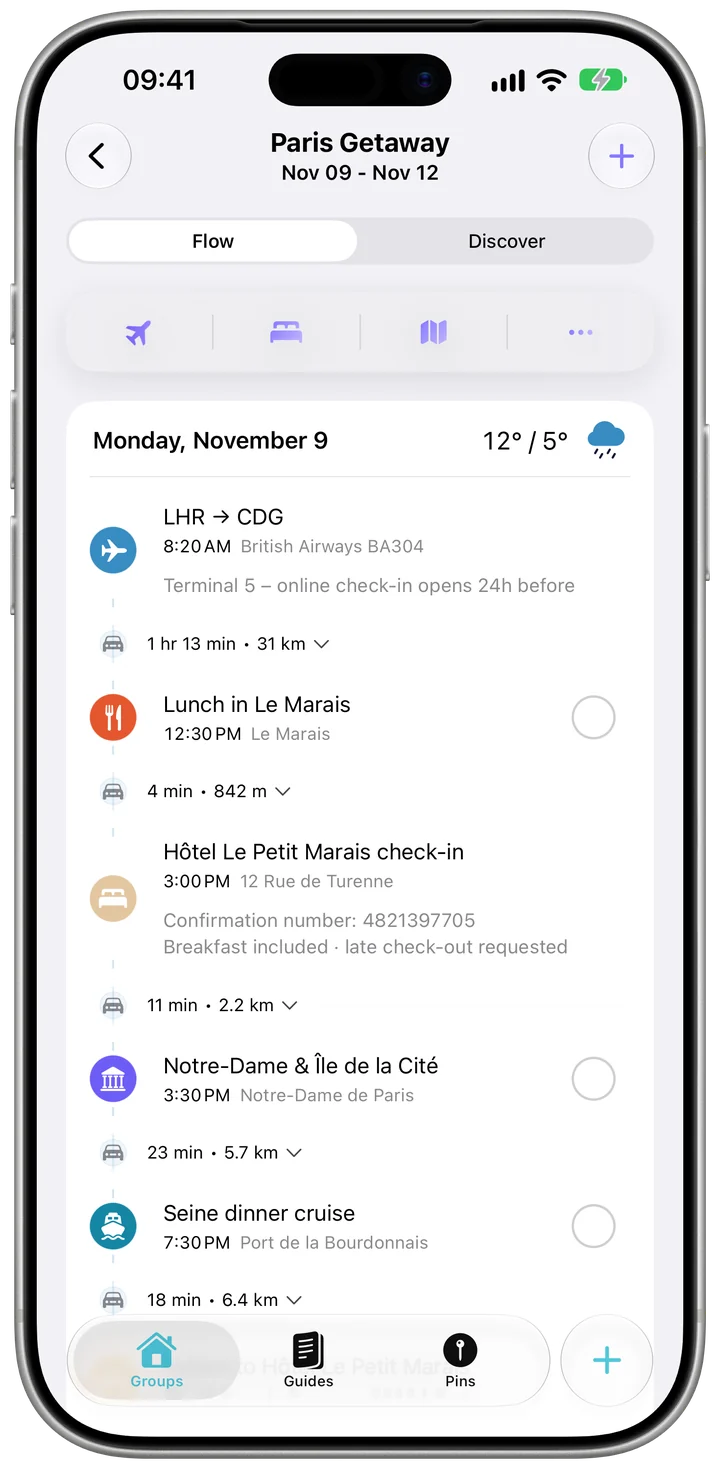
The flight takes its place in the day-by-day plan, so the airport transfer and the hotel check-in follow on from it.
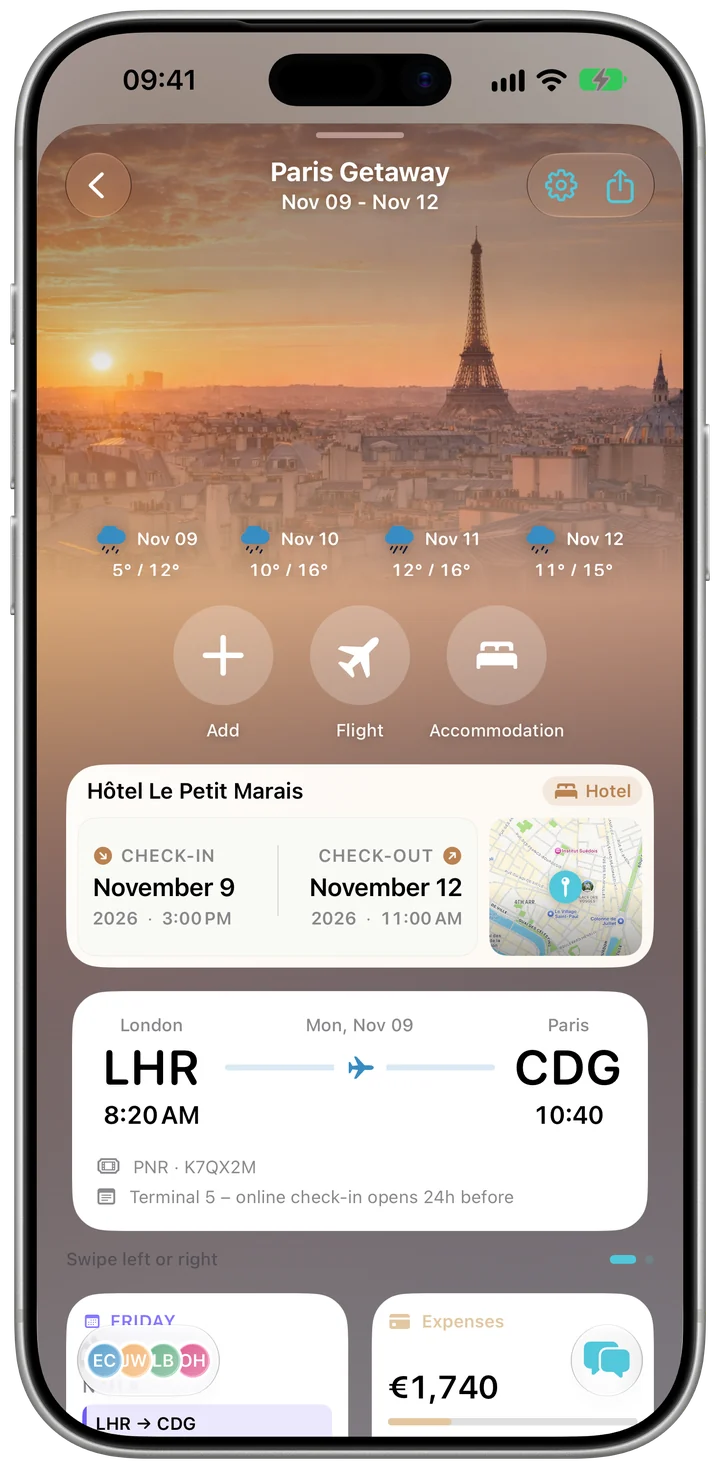
The trip's Overview shows the next flight next to the stay and the weather.
Live status — gate, delays, take-off, landing and baggage belt — on the Lock Screen and in the Dynamic Island, with alerts, comes with your own Kordy Pro.
Adding flights to the plan is free. Live status, the Lock Screen and Dynamic Island view and flight alerts need Kordy Pro.
Yes, with Kordy Pro: a Live Activity shows the flight's status, the gate and the baggage belt on the Lock Screen and in the Dynamic Island.
Yes. Forward the confirmation email to your personal Kordy address and add the flight to a trip.
No. The group pass unlocks Pro features such as group polls and receipt scanning inside one trip; live flight tracking needs your own Kordy Pro.

Free on the App Store for iPhone and iPad. No ads.